Keep the conversation
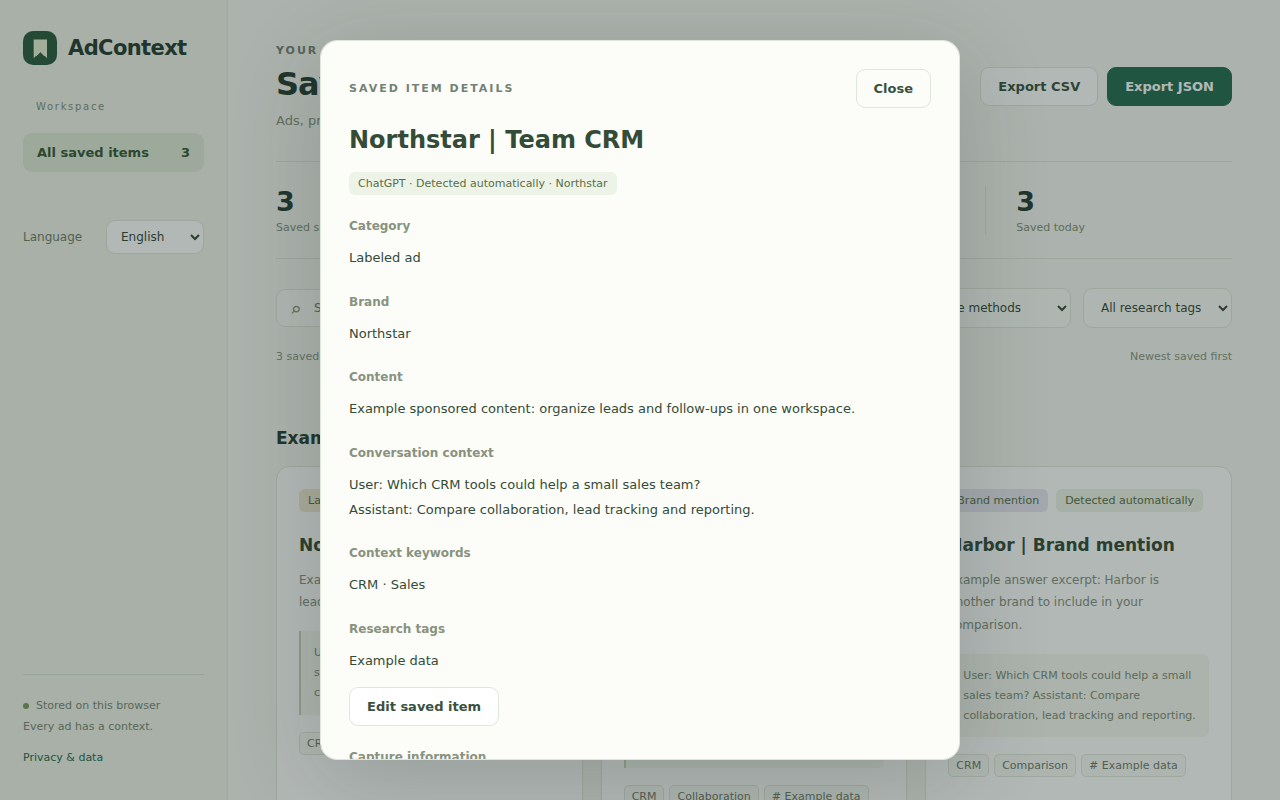
Save nearby questions and answers with the content you collect. Revisit what was asked, what appeared, and where you found it.
Questions + answers + source links AdContextby ChatAdsWatch
A CHROME EXTENSION FOR COMPETITOR RESEARCH
Save what you see, together with the question and answer behind it. Build a searchable research library that stays in your browser.
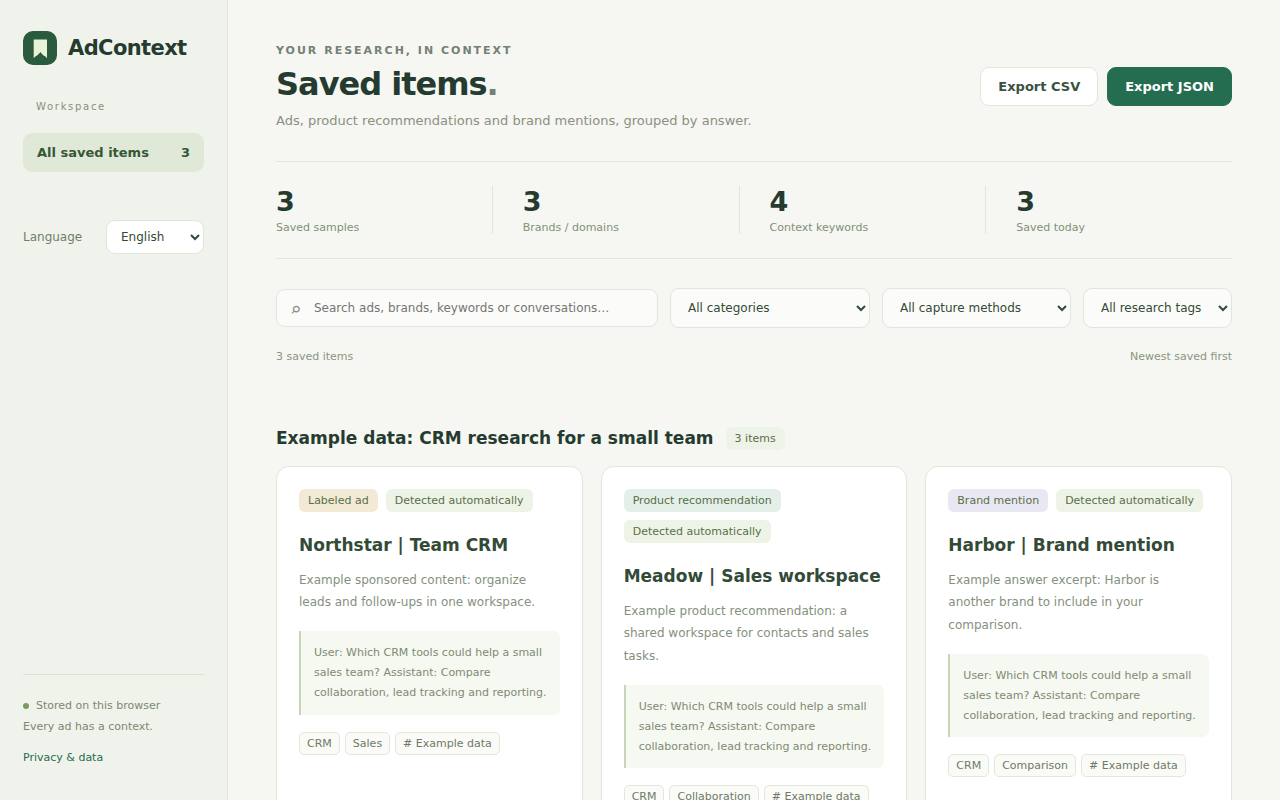
Actual AdContext interface with fictional example data. Recommendations and brand mentions are not evidence of paid placement.
FROM A FLEETING ANSWER TO A USEFUL RECORD
Keep useful observations together, so you can return to them when it is time to compare.
Save nearby questions and answers with the content you collect. Revisit what was asked, what appeared, and where you found it.
Questions + answers + source linksOrganize labeled ads, product recommendations, and brand mentions as distinct types. Group records by answer and filter your research.
Three content types. One library.Search, tag, and edit saved records, then export your filtered selection as CSV or JSON for your own analysis.
Your records, in useful formatsA SIMPLE RESEARCH ROUTINE
Designed for the ChatGPT conversations you already have.
Install AdContext from the Chrome Web Store, then open or refresh chatgpt.com or chat.openai.com to start collecting.
Detected items save automatically by default. Pause collection, switch to review before saving, or select content manually.
Open your saved library to search, compare records, add research tags, and export the items you need.
THE QUESTION IS PART OF THE EVIDENCE
A brand name alone tells only part of the story. AdContext keeps the surrounding conversation with your saved item, so you can revisit the question that led to it.
CONTINUE YOUR RESEARCH WITH CHATADSWATCH
Explore the ChatAdsWatch Ad Library to discover more observed ads, browse advertisers and industries, and put your own findings in a wider research context.
Explore the ChatAdsWatch Ad LibraryA separate research resource. Your extension records stay local and are not synced to the website.
AdContextYour saved items & conversation context
 ChatAdsWatch
More ads, advertisers & industries
A FEW THINGS TO KNOW
AdContext is a local collection tool developed by ChatAdsWatch.
Ask us a questionYes. AdContext is publicly available on the Chrome Web Store. Select Add to Chrome on the store page to install it, then open or refresh your ChatGPT tab.
It detects labeled ads, product recommendations, and recognizable brand mentions in loaded ChatGPT page content, and saves nearby questions and answers. You can also select text or a page element manually. Detection can miss items and may change when ChatGPT updates its page structure.
No. The extension stores records and screenshots in your browser profile. It has no extension account, cloud sync, analytics trackers, or external AI calls. Your extension records are not sent to ChatAdsWatch or other servers.
Yes. Automatic collection and saving are enabled by default. You can pause collection or choose review before saving. You can edit or clear saved context and delete records. Screenshots require an explicit toolbar action; automatic collection does not take screenshots.
You can export filtered records as CSV or JSON; JSON includes saved screenshots. Import and restore are not currently supported. Uninstalling the extension or clearing its storage removes local records, but not your exported files. Review exports before sharing, as conversations may contain sensitive information.
AdContext works on chatgpt.com and chat.openai.com, with English and Chinese interface options. You need your own access to ChatGPT. The extension is independent and is not affiliated with or endorsed by OpenAI.