


 AirbnbSponsored
Mexico City Food Tours
Hungry to explore Mexico City?
airbnb.com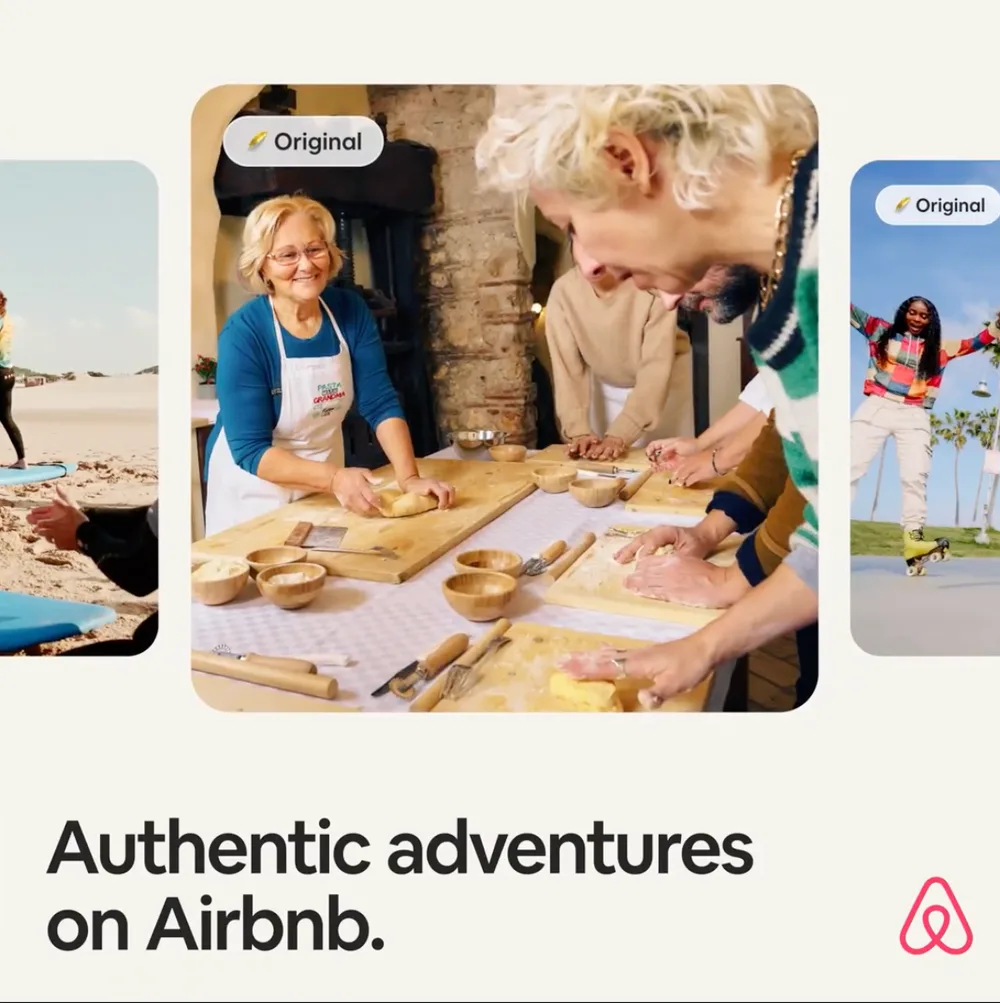
Search by brand or industry. Compare ad creatives and explore the user prompts captured alongside them.
 User prompt
best guided food tours in Mexico City for tasting authentic street food and mezcal
 AirbnbSponsored
Hungry to explore Mexico City?
airbnb.comThe evidence starts here
 Expanding with new records
Updated as new ad records are added.
Latest catalog snapshot: . Counts come from the current database. Explore the sources and scope →
Illustrative perspectives
Example use cases for researching ads, understanding competitors, and planning your next move. Names, portraits, and quotes are illustrative, not verified customer endorsements.

“Understanding the user needs behind an ad is central to researching ChatGPT advertising. ChatAdsWatch connects the ads it collects with relevant question context, helping marketing teams identify use cases and creative directions worth exploring.”

“A keyword list is most useful when it leads to clear research priorities. ChatAdsWatch's keyword, search volume, and CPC data helps teams decide which needs to explore and plan their next content and campaign tests.”

“I value being able to examine an ad alongside its product messaging and landing page. ChatAdsWatch brings these materials into one research workflow, making it easier to compare how brands communicate their value and support competitive analysis with specific examples.”

“A strong content strategy reflects the way people express their needs. The ads and question context collected by ChatAdsWatch give content teams more specific topic ideas and help them assess whether their brand messaging addresses the questions users care about.”

“For e-commerce brands, seeing which reasons to buy competitors emphasize is an important part of creative research. ChatAdsWatch brings relevant ads together so teams can compare selling points and develop clearer hypotheses for their next creative and landing page tests.”

“Strategy discussions need materials everyone on the team can review. ChatAdsWatch brings ad research, keyword data, and website analysis together to support market briefs, discussions about competitors, and decisions about which opportunities to test next.”

“We used to focus our research on a few familiar competitors. Browsing relevant ads in ChatAdsWatch introduced me to several other brands worth watching. I combined those findings with keyword data to build our next list of content topics and tests.”

“With a small team, it's hard to set aside time for market research. I use ChatAdsWatch to review relevant ads and website keywords, shortlist areas worth exploring, and decide where to spend our time on content and promotional experiments.”

“I mostly look at how similar brands describe their selling points and what visitors see after clicking an ad. Comparing these materials side by side helps me spot what our own product pages still need to explain and give our designers more specific references.”

“I filter ads by industry and topic, then save the creatives and search criteria I want to revisit. I can pick up where I left off when preparing the next proposal and compare copy and landing pages more easily. It makes organizing my research much easier.”

“Some of the user questions I found in ChatAdsWatch were phrased very differently from our usual product descriptions. They gave me plenty of ideas. I then combined those insights with keyword research to develop comparison and buying guide topics.”

“When I prepare competitive analysis for clients, I need to show the materials behind my conclusions. ChatAdsWatch makes it easy to find ads and review their landing pages. I combine that with website analysis to organize the discussion, so clients can see where my recommendations come from.”
Hover over a row to pause.
Three ways to explore
01 / Ad Library
Explore captured ChatGPT creatives, compare the advertisers behind them, and examine the buyer prompts associated with an ad.
Open Ad Library





 Image
Image Headline
 Offer
Captured creatives · reconstructed cards
Offer
Captured creatives · reconstructed cards
Compare the image, message, and offer. Find the details you want to explore in your own creative.
Explore the brands appearing in a category, then compare the creatives behind the names.
Which running shoes work for everyday training?
Everyday training. Comfortable cushioning. A pair for the next run.
Use associated topics to explore what a buyer is trying to understand, compare, or choose.
02 / Website Analysis
Enter a website to explore estimated traffic, traffic sources, and AI referrals. Add keyword research to understand how people discover it through search.
Analyze a website| Period | Total visits |
|---|---|
| Two months earlier | 102,000 |
| Previous month | 111,000 |
| Latest month | 124,000 |
Example acquisition channels, ranked by share of visits.
Traffic sources and AI referral details depend on the available report.
Run keyword research separately to explore available search terms and estimates.
| Keyword | Monthly searches | CPC (USD) |
|---|---|---|
| project management software | 49,500 | $8.20 |
| team collaboration tools | 12,100 | $5.40 |
| workflow planning app | 6,600 | $3.60 |
Example search estimates. Coverage varies by website and market.
03 / Custom Ad Research
Enter a website or industry to find related ads observed in ChatGPT. Explore the advertisers, creative approaches, and buyer context around that market.
Explore custom ad researchExplore the kinds of creative you could uncover
Running gear
Places to stay
Design tools
Illustrative preview using creatives from the current ad library.
Explore the creative
Compare the headline, product angle, and imagery in these captured examples, then browse the library for more.
AI-designed slides. Try Canva.
Source last seen
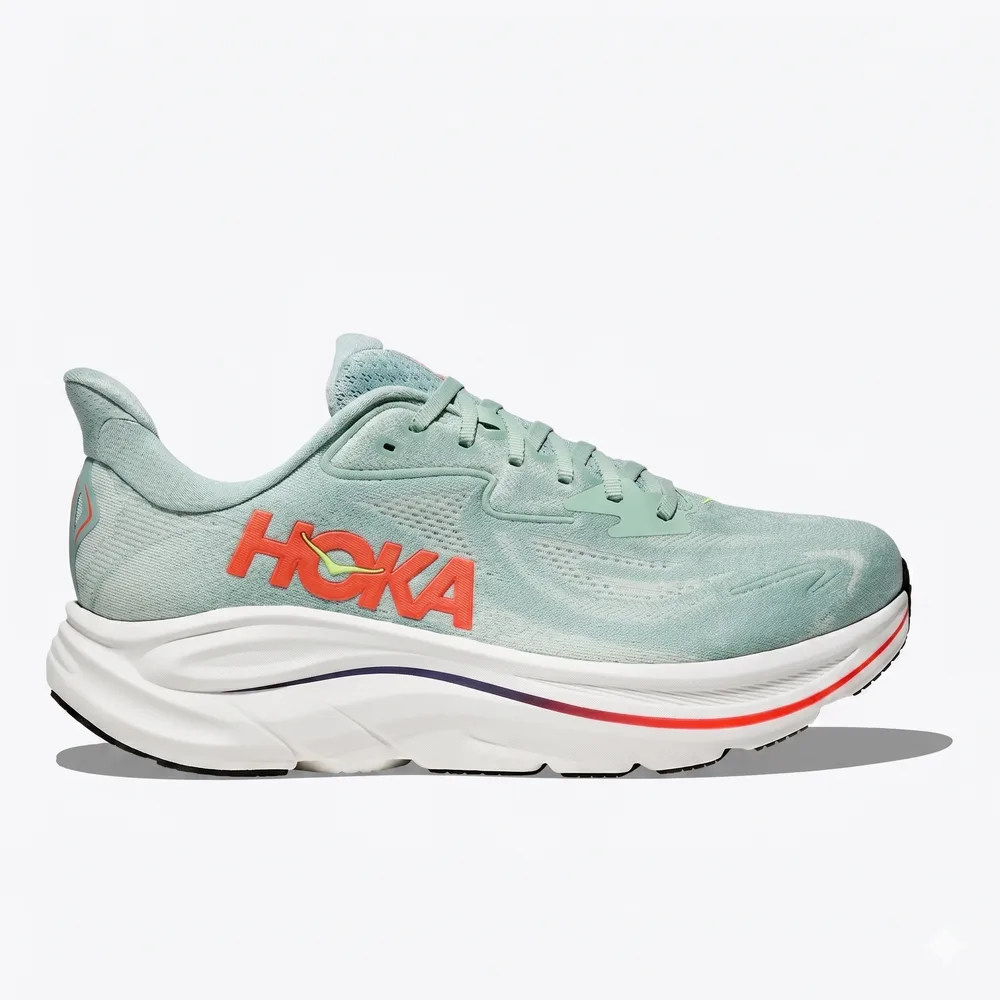
Search Canva ads →Shop Athletic Shoes for Women & Men
Source last seen
Search HOKA ads →Find work-friendly stays easily.
Source last seen
Search Booking.com ads →Hungry to explore Mexico City? Book food tours on Airbnb Experiences.
Source last seen
Search Airbnb ads →
Seedance, Veo, Gen-4.5 -- one place. Try free.
Source last seen
Search Runway AI, Inc. ads →Brand searches open the dashboard. Sign-in may be required.
Make it relevant to you
Pick an industry to explore its advertisers and creative previews. The descriptions below outline each category; counts come from the current catalog.
Team tools, workflows, and business software.
Banking, insurance, and financial services.
Furniture, home projects, and garden essentials.
Professional services and business support.
Equipment, production, and agricultural supplies.
Devices, electronics, and connected products.
From your first click to your next workflow
Learn how to explore the evidence, read a website report, and work with the API.
 Product guide
Find ads, follow the buyer context, and understand the website analysis workflow.
Read the guide API guide
Explore authentication, read-only examples, and the access requirements for approved integrations.
Explore API documentationA little more clarity
Getting to know a new advertising channel? Start here.
Have another question?Use Ad Library to explore captured creatives, advertisers, and associated buyer prompts. Use Website Analysis to research estimated traffic, AI referrals, and available keyword data. Custom Ad Research will add website- and industry-led ad discovery. Read the product guide →
No. ChatAdsWatch is an independent research product. It is not affiliated with or endorsed by OpenAI or the advertisers shown.
The library organizes collected source records and associated prompt context where available. Industry, topic, and intent labels may be inferred. The floating cards above are reconstructed creative excerpts, not exact ChatGPT screenshots. Read how we handle evidence →
No. It is a dated sample of collected ads, not a complete live feed. Check the source dates when comparing creatives. Captured appearances are not impressions, clicks, advertiser spend, or proof of campaign performance.
Browse public industry summaries, short creative previews, and our methodology. You can also start with a limited market preview for your domain. Pro unlocks full ad copy, buyer prompts, deeper filters, competitor analysis, and saved reports.
No. Browsing existing ads, filtering the Pro library, and saving existing reports do not spend credits. New provider-backed analysis shows a credit quote for approval. If no usable result is returned, reserved credits are released.
Pro is $49 per month, plus applicable tax, and renews monthly. You can cancel renewal at any time. Unused monthly analysis credits expire at the end of the billing period. See plans and access →
Your next research question starts here
Open the dashboard for ad inspiration, competitor research, and website insights.
Around the web
Explore independent directories, communities, and app stores.
 Linkrena
 NewName
 ChatableAppsAI tools directory
 NavXD
NavXD AI Tool SeekersAI tools directory
 IndieToolsProduct discovery
 AISO ToolsAI tools directory
 AIFINDYAI tools directory
 Chrome Web StoreBrowser extensions
 ExtposeExtension directory
 nopetnoget
 IndexOf.AIAI tools directoryTakeAIExplore AI tools
 Hype StarProduct discovery
 Submit AI Tools
 Thank John