AI ad research · Guide
What Is the Best Tool for ChatGPT Ad Research? A Job-First Way to Decide
The Short Answer
There is no single "best" tool for ChatGPT ad research, because the job is not one job. If you need to study competitor creatives and advertisers, a third-party ChatGPT ad library is a purpose-built category. If you need to understand the prompts and intent around those ads, look for a library that records buyer-prompt context. If you need traffic and channel context, pair the library with a website-analysis tool — or pick one that offers both. The official OpenAI Ads Manager is indispensable for your own campaign data, but it shows you nothing about competitors.
The practical answer for most growth and competitive-intelligence teams: pick one primary ad library that meets a strict evidence standard, verify its claims in a two-week pilot, and combine it with a context tool. The rest of this article gives you the framework to make that call in an afternoon.
Why "Best" Is the Wrong First Question
ChatGPT advertising is still relatively new. OpenAI began testing ads in ChatGPT on February 9, 2026, initially serving logged-in adult users on the Free and Go plans in the United States, with sponsored cards appearing below responses and clearly separated from the model's answers. OpenAI's own announcement sets out the principles: ads are labeled, controllable, and excluded from sensitive topics. The rollout has since expanded; consult the current eligibility guidance rather than treating the initial US pilot as today's availability. Plus, Pro, Business, Enterprise, and Edu accounts remain ad-free.
That youth matters for tool selection. In an early February 2026 sample of more than 500 prompts, Adthena reported ads in roughly 0.8% of responses. That is a dated sample result, not a current platform-wide rate. OpenAI reported a broader international rollout in August 2026. Any tool claiming a complete picture of "all ChatGPT ads" still needs to substantiate that claim. What separates a good research tool from a weak one is not the size of the headline number but how honestly it describes what it observed, when, and how.
So the first question is not "which tool is best?" It is: what decision will this tool help me make? The three jobs below cover nearly every real use case.
The Three Research Jobs Behind "ChatGPT Ad Research"
Teams searching for the best ChatGPT ad research tool are usually trying to do one of three jobs — and the tool categories that serve them barely overlap.
Job A: Competitive creative study. You want to know which brands have advertised in ChatGPT, what their creatives and copy look like, and how their messaging has evolved. This is the classic ad-intelligence job, transplanted to a conversational surface. Third-party ChatGPT ad libraries exist precisely for this: ChatAdsWatch, for example, maintains a searchable archive of observed ChatGPT ads — its public snapshot, checked on October 16, 2026, showed 45,315 observed ads from 11,433 advertisers across supported industry categories — with advertiser profiles, creative details, and landing-page views.
Job B: Prompt and intent research. You want to know why an ad appeared: what the user was asking, whether they were researching, comparing, or close to buying. This requires a tool that records the surrounding conversational context, not just the creative. ChatAdsWatch's library, for instance, links each captured creative to buyer prompts and labels topics and intents (Research, Compare, Buy, Solve a problem, or Unknown when evidence is thin).
Job C: Channel and traffic context. You want to place ChatGPT ads inside a bigger picture: how much traffic does a competitor's site get, how much comes from generative-AI referrals, and how does that compare with paid search? This job belongs to website-analysis tools, which work from third-party traffic estimates rather than ad observations. Some platforms — again including ChatAdsWatch through its Website Analysis module — combine both, which is convenient but still two different data types under one roof.
The decision guide in Figure 1 summarizes how the job you are doing points to the category you need. Detailed buyer prompts are available in the research workspace; public pages provide summaries and limited previews.
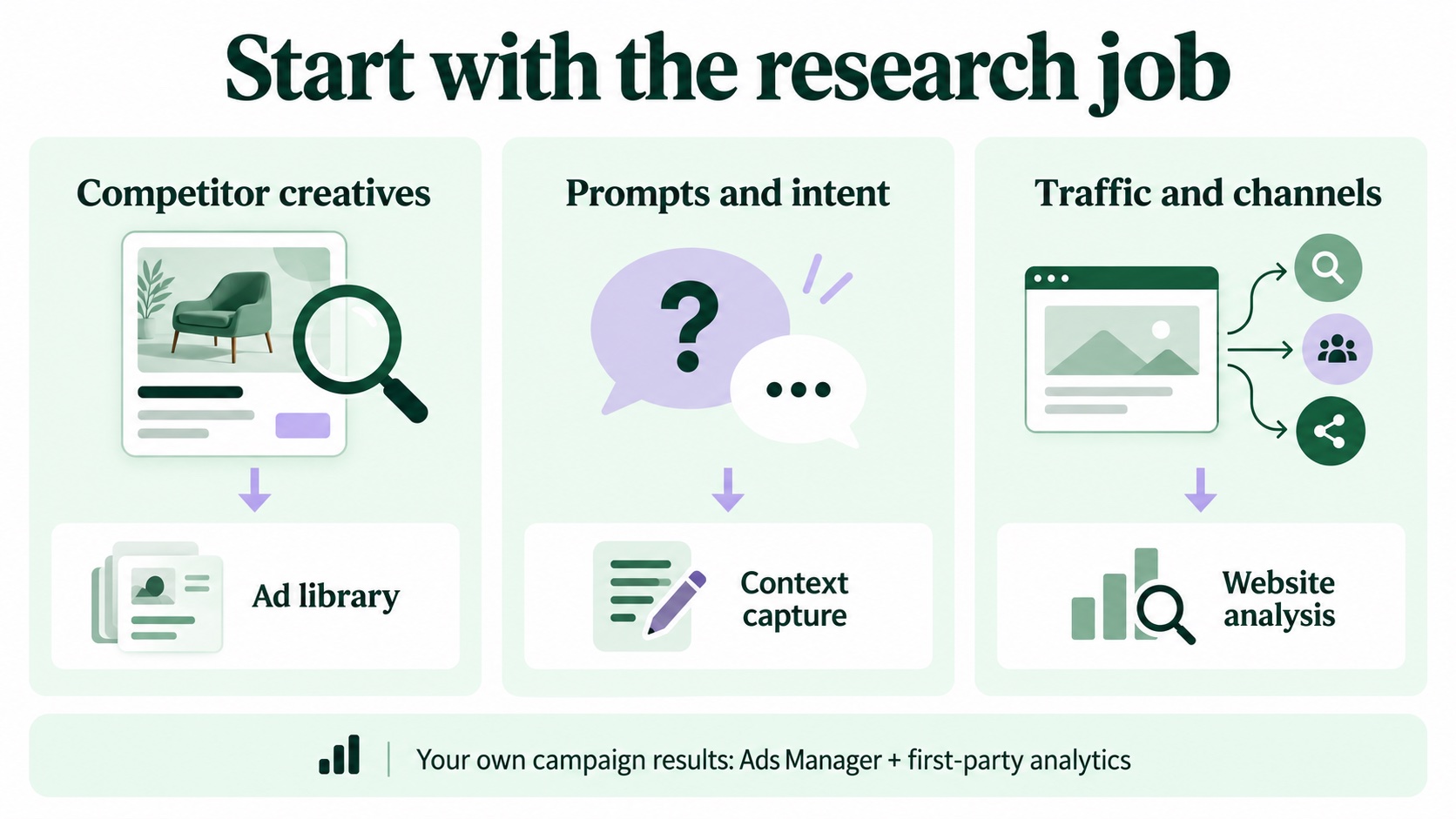
Figure 1 — Match the tool category to your research job.
Capability Requirements, Category by Category
Once the job is clear, compare categories on what they can actually see. The table below is the honest scoreboard as of October 2026.
| Tool category | Creative archive | Prompt context | Competitor coverage | Performance data | Traffic context | Typical pricing model |
|---|---|---|---|---|---|---|
| Official OpenAI Ads Manager | Your own campaigns only | Not a competitor prompt archive | No competitor ad archive | Yes — your account metrics, subject to setup and availability | Not a competitor traffic dataset | Media spend; buying model and budget vary |
| Third-party ChatGPT ad library (e.g. ChatAdsWatch) | Yes — observed ads, often with history | Yes, where prompts were captured | Yes — by advertiser, industry, domain | No — observations, not outcomes | Sometimes, as a separate module | Free preview + paid research workspace |
| AI-visibility / GEO tracker | Usually not the core dataset | Evaluated prompts and answers, not necessarily paid-ad context | Brand mentions, not necessarily ads | Visibility metrics, not ad outcomes | Varies by product | Subscription |
| Third-party website-analysis suite | No | No | Partial (traffic estimates) | No verified competitor ad outcomes | Yes — available channel and referral estimates | Subscription or freemium |
| DIY prompt panel (in-house) | Manual, ad hoc | Yes — you write the prompts | Only the ads in your sample | No | No | Staff time + internal tooling |
Two conclusions fall out of this table. First, no single category covers everything: the official Ads Manager has performance data but zero competitor visibility; a third-party library has competitor coverage but no outcome data, because observed appearances are not impressions, clicks, or conversions. Second, a DIY prompt panel gives you direct control over the prompt set — useful for hypothesis testing, but limited as a coverage instrument. The strongest stacks pair a library with the Ads Manager and a context tool, not one "best" product.
Figure 2 separates the evidence types behind this comparison.
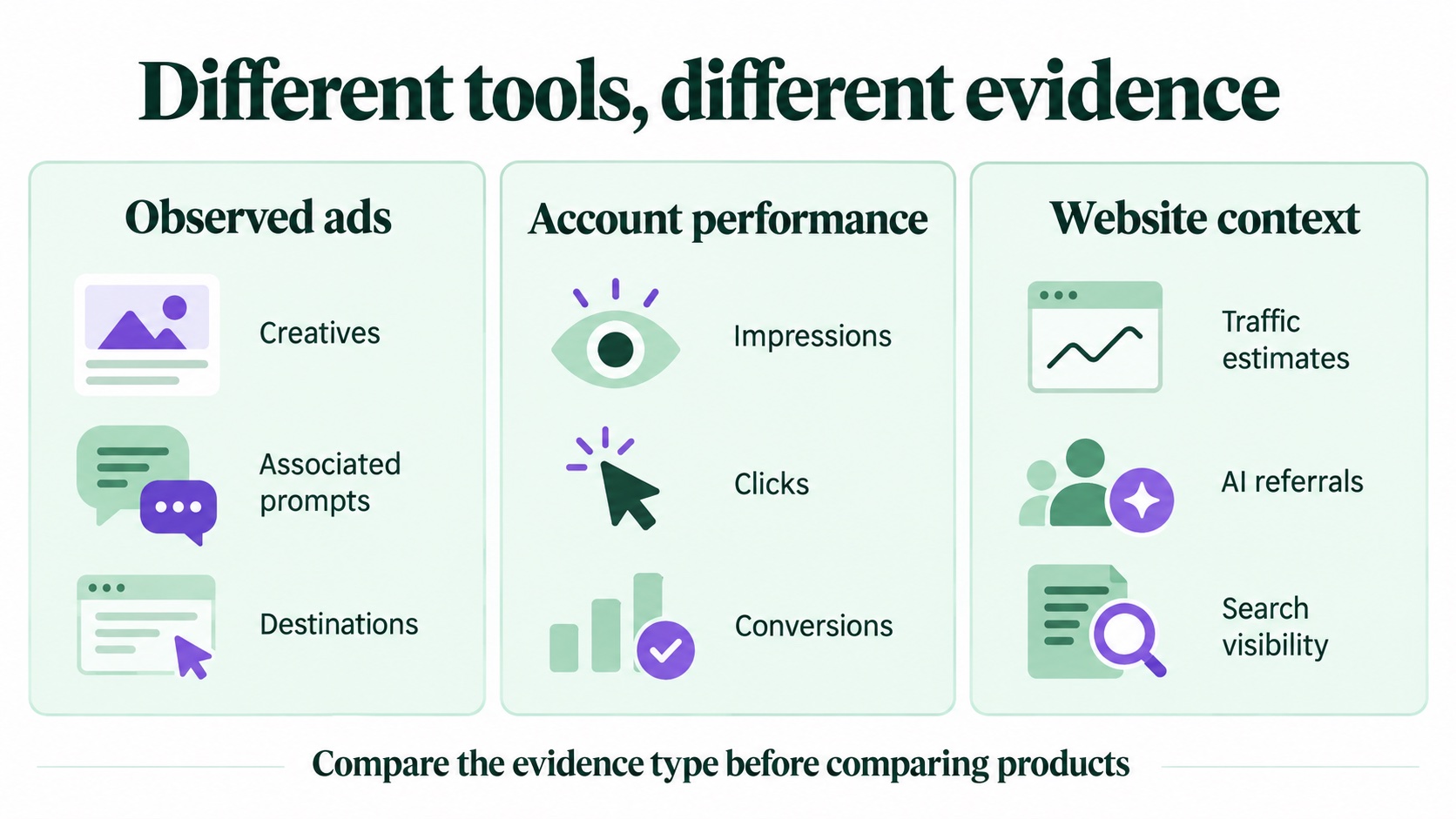
Figure 2 — Observed ads, account performance, and website context are different evidence types.
The Evidence Standard: Five Questions to Audit Any Tool
Because the market is young, marketing claims outrun data discipline. Before trusting any tool's numbers, audit it with five questions:
- How were the ads captured? Credible libraries describe their collection method — logged-in sampling sessions, capture frequency, and source records — rather than hiding behind a total count.
- How fresh is the sample? An ad observed in February 2026 may have been paused since. Look for first-seen and last-seen dates, and treat "recently observed" as the operative status.
- What is observed versus inferred? Good tools separate what was literally captured (an ad, a prompt shown beside it) from what a model inferred (topic, intent) or a third party estimated (traffic, AI referrals). ChatAdsWatch, for example, labels observations, model inferences, third-party estimates, and unavailable fields separately — the kind of disclosure that makes its limits usable rather than embarrassing.
- How are gaps labeled? "Unknown" is a sign of maturity. Intent labels with an Unknown bucket, missing-field flags, and visible model confidence are worth more than a dashboard that is always full.
- Is the sample size disclosed — and is the claim proportionate to it? A library that says "45,315 ads in our observed sample" is making a falsifiable, bounded claim. A tool that says "all ChatGPT ads" is not.
A tool that fails two or more of these questions is not necessarily useless — but its output should never go into a client deck or an executive report without independent verification.
What a Research Tool Can and Cannot Prove
This is the section most "best tool" comparisons skip, and it is where budgets get wasted.
Captured appearances are not campaign performance. When a library records that a competitor's ad appeared beside certain prompts, that is an observation record. It is not an impression count, a click figure, a spend estimate, or a conversion signal. The official account reports and an observed-ad library do not provide verified competitor performance data. Any vendor implying otherwise is overstating what is knowable.
Prompt associations are not targeting rules. A creative captured next to a "compare project management tools" prompt tells you the ad served in that context on that day. It does not prove the advertiser selected that topic, nor that the association repeats. Related prompts are research hypotheses, not keyword volumes.
Traffic and AI-referral estimates are models, not measurements. Website-analysis modules — including ChatAdsWatch's — build on third-party estimation. Treat them as directional baselines for comparison across competitors, not as first-party analytics. And critically: AI-referral estimates alone cannot establish how much traffic came from ChatGPT paid ads; that requires attribution evidence.
Sparse samples limit inference. Adthena’s early pilot sample illustrates how little evidence a small prompt panel can produce; it does not establish today’s ad density. Any cross-industry comparison built on a small number of captures is fragile. Report sample sizes alongside every finding — the good tools make this easy; the bad ones make it impossible.
A Four-Stage Shortlist Process
With the jobs and the evidence standard defined, choosing a tool becomes a repeatable process rather than a taste contest (Figure 3):
- Stage 1 — List every credible candidate. Pull from official documentation, independent reviews, and analyst notes. Eliminate any tool that cannot answer the capture-method question.
- Stage 2 — Audit the evidence. Run the five questions above against each survivor. Score them; a spreadsheet is fine.
- Stage 3 — Run a two-week pilot. Give each finalist one live question — for example, "map competitor creatives and prompts in our industry for Q4 planning" — and score the effort required, the freshness of what comes back, and how honestly gaps are flagged.
- Stage 4 — Decide and schedule a revisit. Commit to one primary library and one context tool, document what the pilot showed, and revisit the decision quarterly — this market will look different in three months.
The process takes about two weeks; subscription cost depends on how many tools you trial. It beats a year of paying for a tool chosen from a comparison listicle.
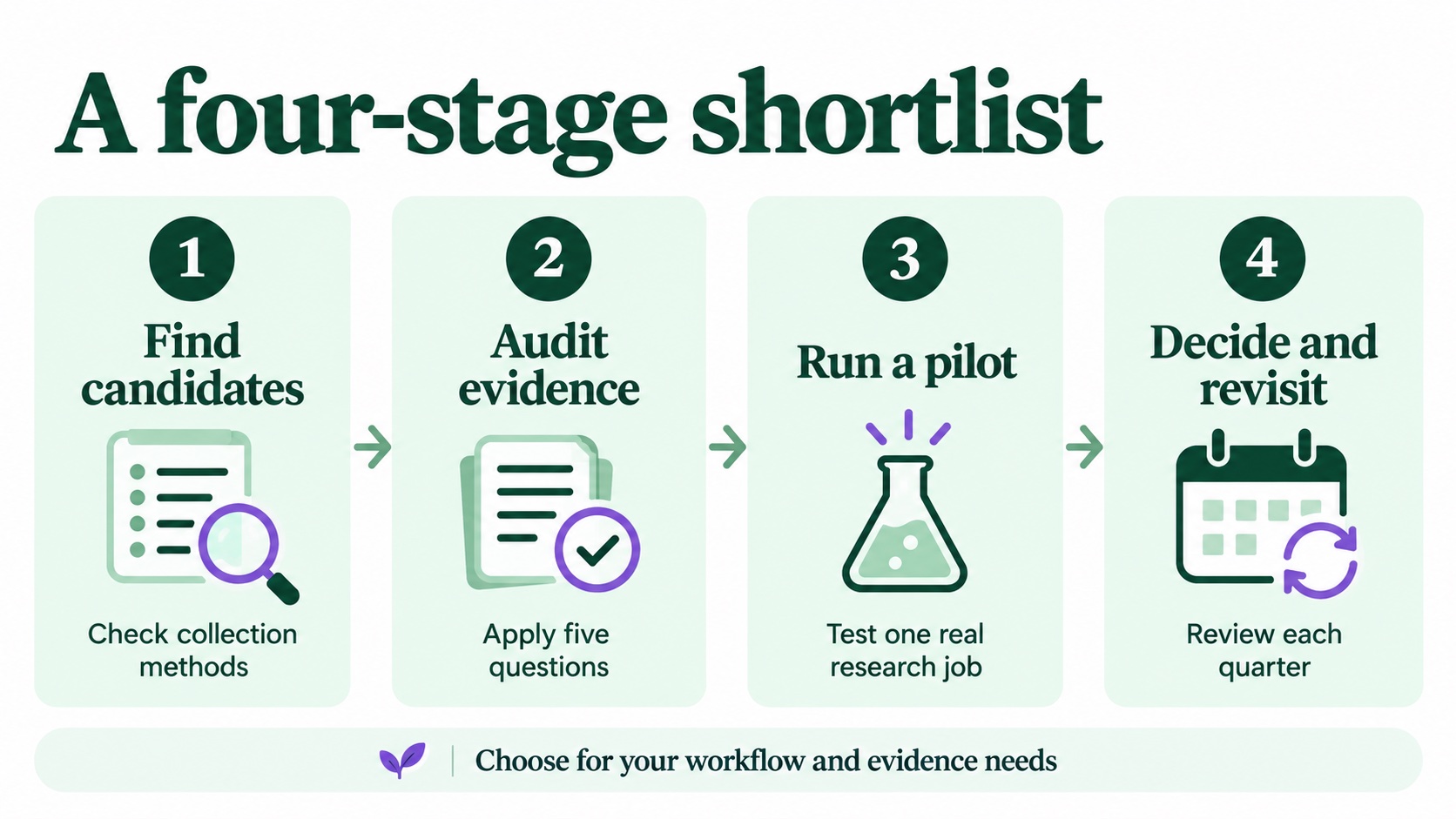
Figure 3 — A four-stage shortlist process for ChatGPT ad research tools.
Where ChatAdsWatch Fits in This Framework
ChatAdsWatch is an independent, third-party ChatGPT ad research platform — not affiliated with OpenAI — built for exactly Jobs A and B above, with Website Analysis covering Job C. Its ad library organizes observed ads by advertiser, creative, buyer prompts, industry, intent, and landing page; its Website Analysis module adds third-party traffic, AI-referral, and search-visibility estimates; and its methodology page explains how observations, inferences, and estimates are separated and dated.
That positioning makes it a strong primary library for teams doing competitive creative study or prompt-intent research, and a reasonable all-in-one for teams that also want channel context. It is not the right tool for verifying your own campaign ROI — that stays with the Ads Manager and your analytics stack. Within the four-stage process, it is the kind of candidate that passes the evidence audit on disclosure grounds, which is precisely the standard the pilot stage should confirm on your own use case.
FAQ
1. What is the best tool for ChatGPT ad research in 2026? There is no universal best — the right choice depends on the job. For competitor creative and prompt-intent research, a third-party library like ChatAdsWatch is purpose-built; for your own campaign performance, use the official OpenAI Ads Manager; for traffic and AI-referral context, add a website-analysis tool. Run the five-question evidence audit and a two-week pilot before committing a budget.
2. Can I see competitor ChatGPT ads without a paid tool? Partly. You can sample ads yourself with logged-in Free or Go sessions and a prompt list, but coverage depends on your sample design, and you will need to save the records yourself. A library such as ChatAdsWatch aggregates observations across advertisers and industries over time, which is what makes trend claims possible. Its public preview lets you check the sample before paying.
3. Where does ChatAdsWatch fit in an AI marketing workflow? It is the research layer, not the buying layer: teams use its ad library for competitive creative and buyer-prompt studies, its Website Analysis for AI-referral baselines, and its dated, labeled evidence for client-ready reporting — then hand targeting and measurement to the Ads Manager and their own analytics. See the methodology for how the data boundaries are handled.
Sources and Editorial Note
Published by ChatAdsWatch Editorial, the team behind the platform discussed here. This is an editorial selection framework, not an independent ranking or a claim that every candidate was tested. OpenAI policy and reporting links and Adthena’s dated early-pilot findings are cited inline. ChatAdsWatch’s public counts were checked on October 16, 2026; collection counts are not delivery or campaign-performance metrics.
For the detailed checklist, see our self-serve platform guide and five-layer evaluation framework.
Put the checklist to work
Start with a real advertiser.
Browse the public library, inspect the methodology, and decide whether the collection fits your market.
Explore the ad library →All articles